Create an anonymous account
Enter an email and a password and tick the box to confirm you’ve read the terms. We give you a random username — there’s no name field, no profile photo and no questionnaire. Verify your email and you’re in.
1 minuteLog your first numbers
Start with the easy win: today’s weight. Add measurements when you have the tape out. Every entry is dated and joins a running history that charts itself on your dashboard.
30 secondsKeep a quick diary
Rate how your day went — mood, libido, irritability, tiredness — by picking the fixed description that fits, so a 3 always means the same thing. Want more structure? Log up to four fixed erection check-ins a day, each scored 0 to 4. Skip anything you don’t track; nothing is scored or flagged.
30 secondsAdd your bloodwork
Got results back? Enter each one exactly as your lab printed it, with its unit and the lab’s own reference range. Next time, the app lines them up against your last test and shows the change as plain numbers. No flags. No verdicts.
2 minutesBuild your protocol
Create a TRT or blast phase, then add whatever you take: name, amount, time of day, frequency. Change an amount later and the old one stays in your history. Save it as a template to reuse.
3 minutesPut it in your calendar
Copy your private calendar link into Google Calendar or Outlook and your protocol follows you everywhere. Prefer email? Switch on a daily reminder at the time you choose.
1 minuteLog from your phone or PC
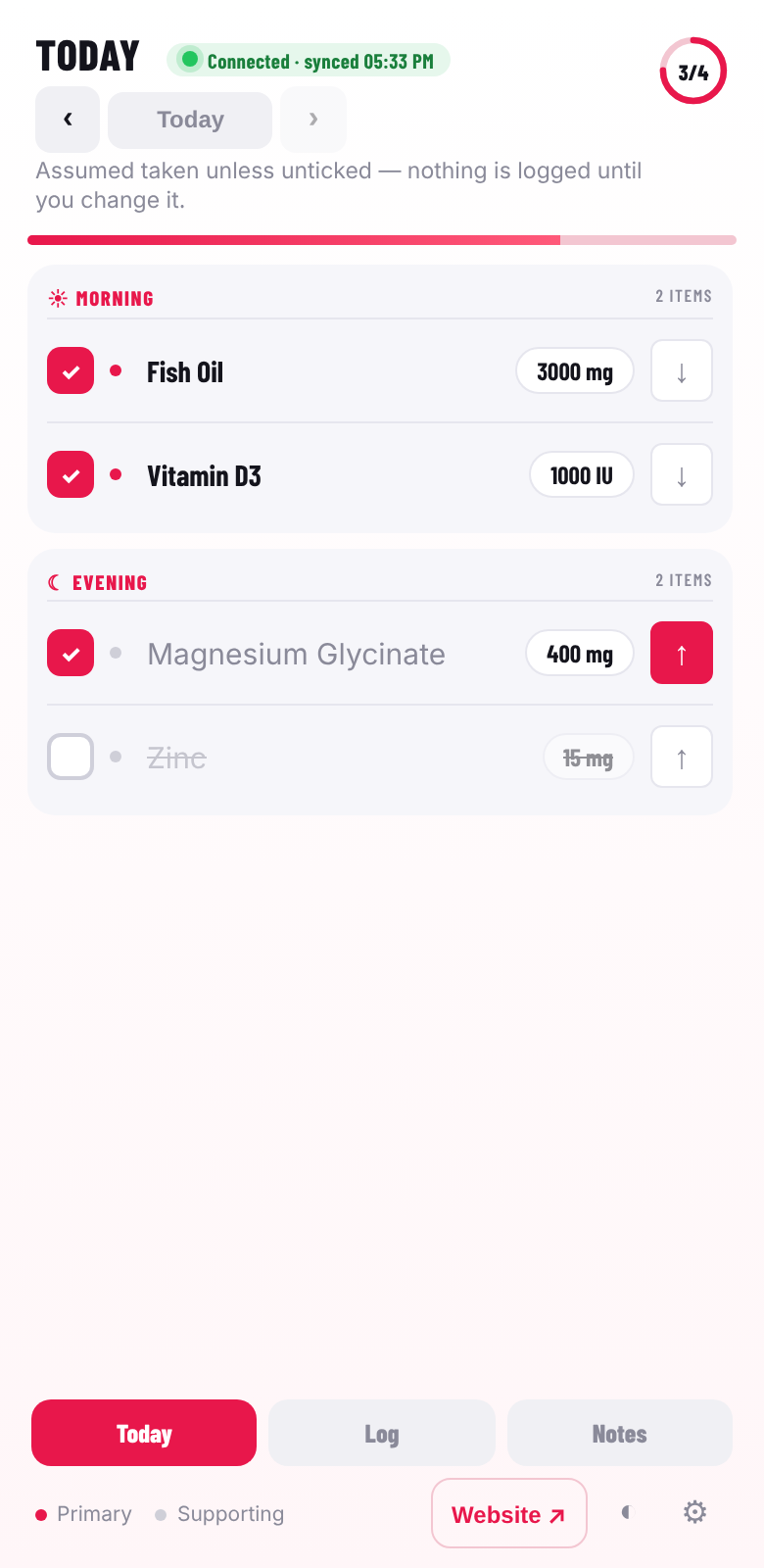
Install the Android app or the Windows widget (direct downloads from this site) and link it with a token. Tick off today’s doses, move one to the other half of the day, and log your weight, diary and more. Entries made offline are saved on the device and sent when you’re back online. Turn on the app lock (PIN, plus fingerprint or face on Android) so nobody else can open it.
2 minutes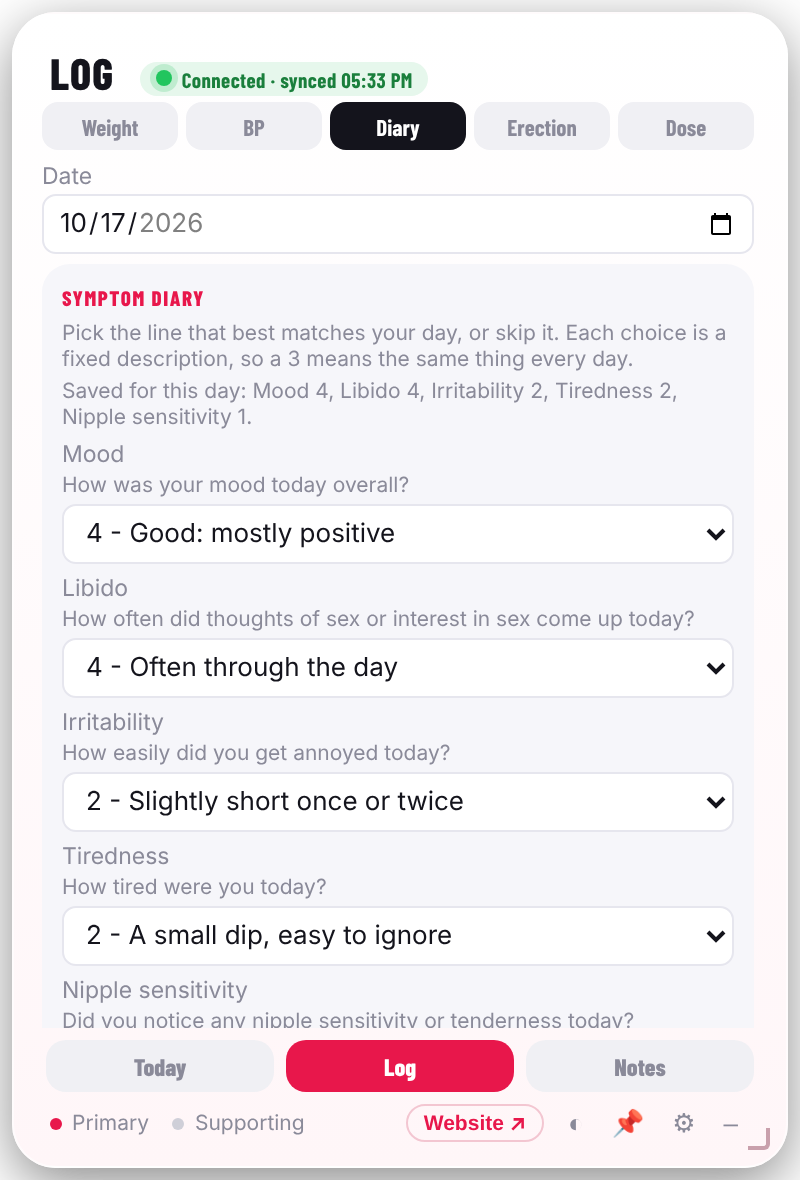
Review, export, share
Look back over your dashboard any time. Turn on a read-only link for a coach, print a clean report, or download everything as CSV in one zip. Switch sharing off and the old link stops working immediately.
Any timeWhat a normal week looks like
Most people spend less than a minute a day in the app.
Daily
Open the dashboard. Today’s plan is pre-ticked — untick anything you missed. Done.
Weekly
Weigh in, tape-measure if you like. Ten seconds, and the chart moves.
Every few weeks
Bloods back? Add the panel and see the change since last time, side by side.
What it does — and what it never will
BodybuildingTracker is a record-keeper. That’s the whole point, and it’s why you can trust what it shows.
It does
- Store exactly what you enter
- Chart and compare your own numbers
- Remind you of dates you set
- Let you export or delete everything
- Keep your entries encrypted at rest
It never
- Tells you what to take, or how much
- Flags, scores or interprets a result
- Diagnoses, predicts or advises
- Asks for your real name or photos
- Replaces your doctor
Ready to start your record?
Create your account in under a minute. No card, no real name, nothing to install.
- No card needed
- Anonymous account
- Export or delete any time